One live contest. One complete view.
Live Hub brings Voice Scout, Score & Stats and AI Voice Commentary together in one live view. Operators can follow the scouting session, structured events, match state and commentary in one place, then open the focused surface their role allows.
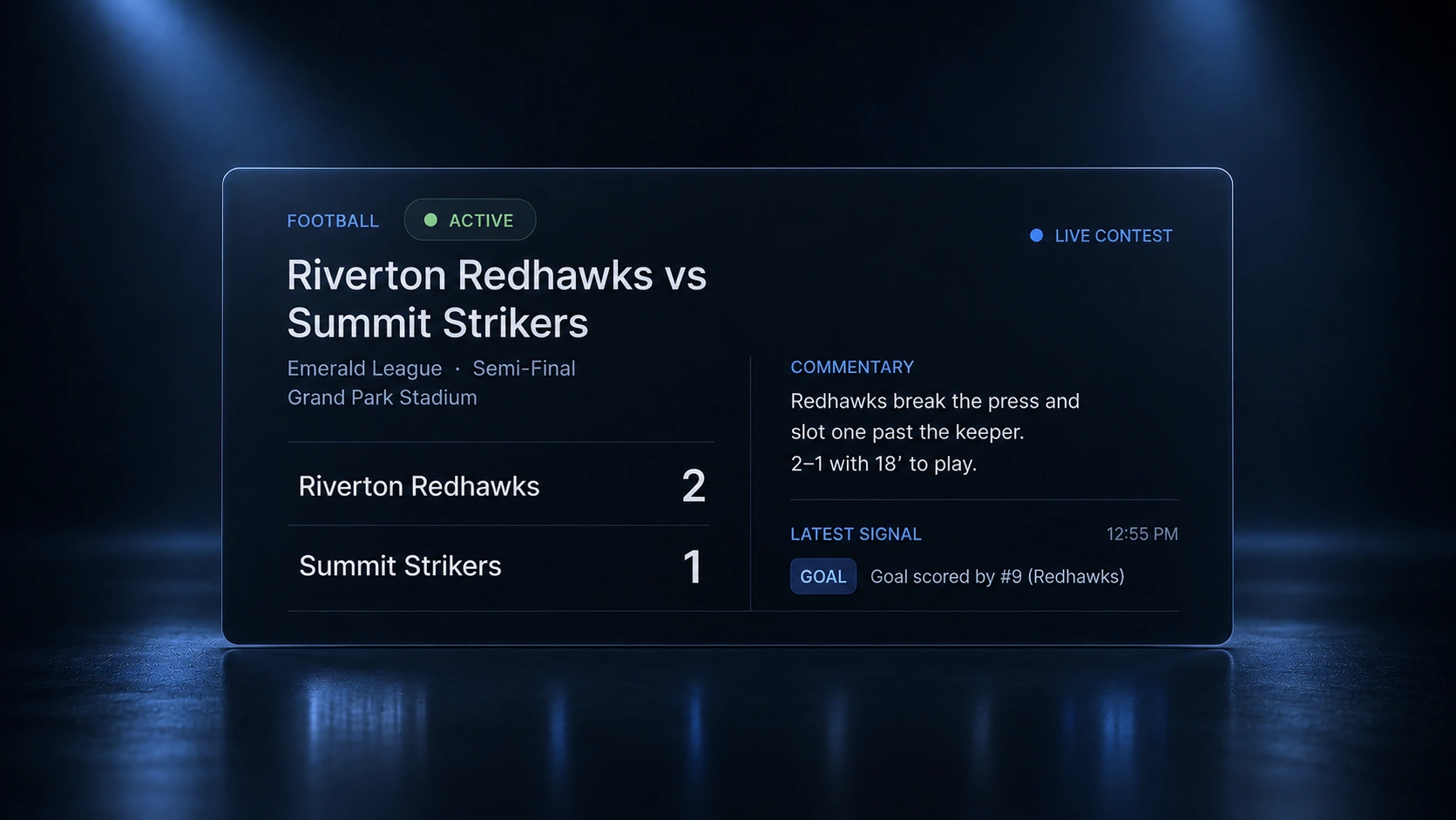 Live · complete match hub
One hub for the complete live picture.
- Live data comes together Live Hub combines the active scouting session, structured events, match state and AI commentary in one place.
- See the current state Follow transcripts, confirmed events, scores, statistics and commentary as the contest develops.
- Access follows roles Each user sees the views their role allows, from monitoring and session detail to scoring and commentary.
- Move from overview to detail Open a focused view and return to the hub without losing the live context.
The whole live picture, with detail one click away.
Live Hub keeps the active session, structured events, score, statistics and commentary together, while giving each user quick access to the detailed views available to their role.
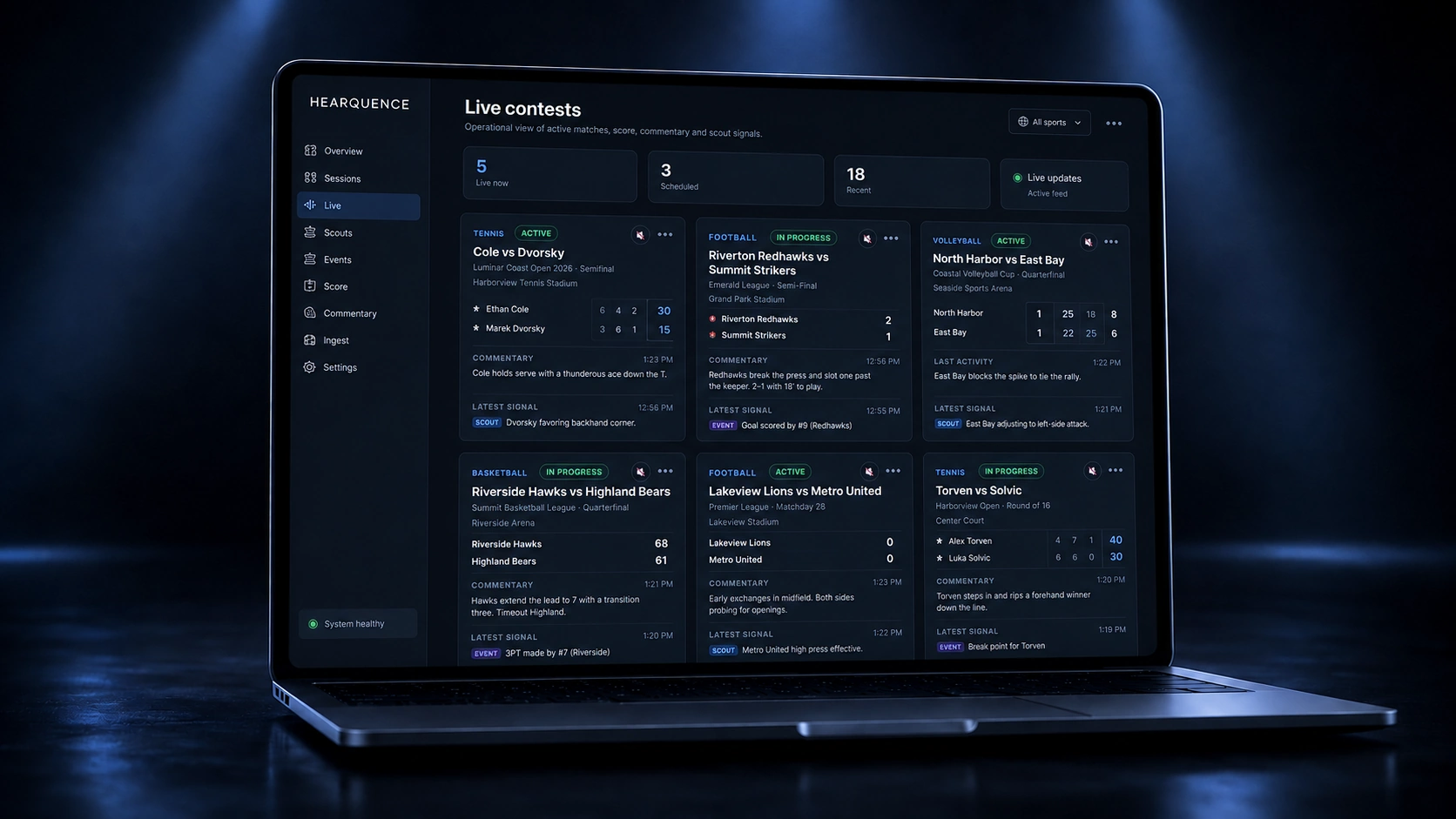
One shared live context. The right depth for every role.
Live Hub follows the same access model as the rest of Hearquence. Operators, managers and viewers see the live surfaces relevant to their role without exposing controls or information they do not need.
- Monitor view Follow connection health, latency and session state across active contests.
- Session, score & stats Follow the live transcript, structured events, score and statistics as they update.
- AI commentary view See live AI commentary alongside the structured match data that drives it.
Built to expand across roles, workflows and sports.
Live Hub runs inside the authenticated Hearquence platform, while a simplified public view is available to demonstrate the live experience.